It may sometimes happen that you or someone else accidentally deletes an important file in your computer. The file may be any type such as video, music file, image or software file. As you didn’t intentionally delete the file, you want to recover that file immediately. In this article I will be explaining in detail how to recover deleted files in your computer.
Basically to recover deleted files there are some important requirements. Recovery success is mainly dependent to newly added files. In simple words whenever a file is deleted the operating system keeps that file within itself .Only the reference to the file is deleted. In that memory location the file still exist unless new files are added to that same memory location. For example in your one of the local volumes you have deleted all the files inside that volume. The files still points to some memory location. But if some new files are added to that volume they may overlap old file’s memory location. In that case recovery becomes unsuccessful. So make sure after deletion of some file you are not going to add any file in that volume. Otherwise chances of recovering files are less.
How to recover deleted files in your PC
To recover lost deleted files in your computer various softwares are available. I tried many of the softwares and have found one very good software with almost 100% recovery success. The best one I find useful for lost data recovery is iCare Data Recovery Software.
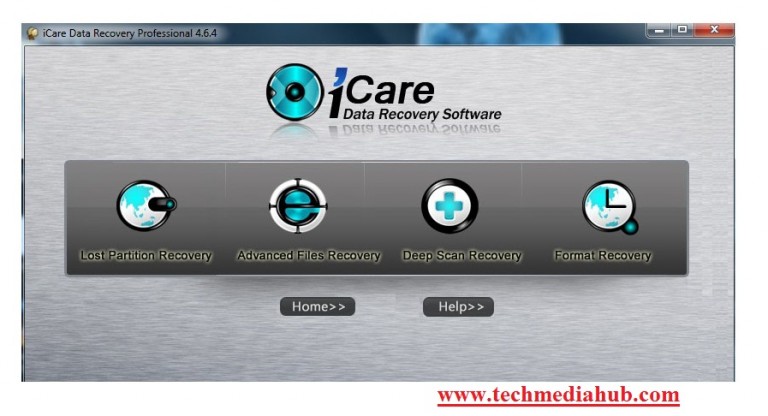
About iCare Data Recovery :
This Software provides various types of recovery methods. Using this software you can recover data that are lost due to system partition or lost because of formatting a drive. To recover data that are lost accidentally you can use either Advaced Files Recovery or Deep Scan Recovery option.

Steps for How to recover deleted files
Step 1:
Click any one of the options! For instance I have chosen Advanced Files Recovery.
Step 2:
After selecting Advanced Files Recovery you should get a list of all your available drives where you can apply recovery. Select the drive that you wish to recover deleted files from.
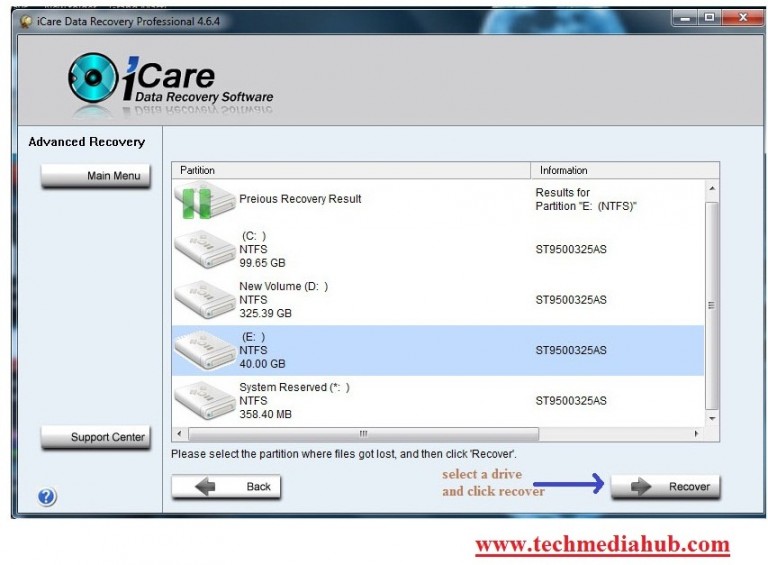
Step 3:
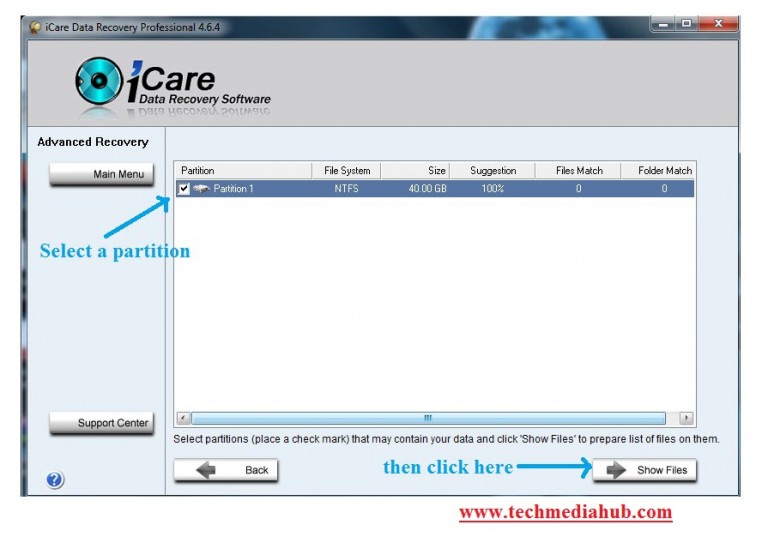
The moment you click on a drive it will scan for a while and then it will show a list of partition folders. This folder actually contains old deleted data. In one drive there may be several partitions of data. Check all partitions and click on Show Files.
Step 4:
Then a big list of files will appear and in that list your deleted files will be available. Identify your deleted files from the list and select that file and click save files. You are done! The deleted file will be recovered and saved successfully.
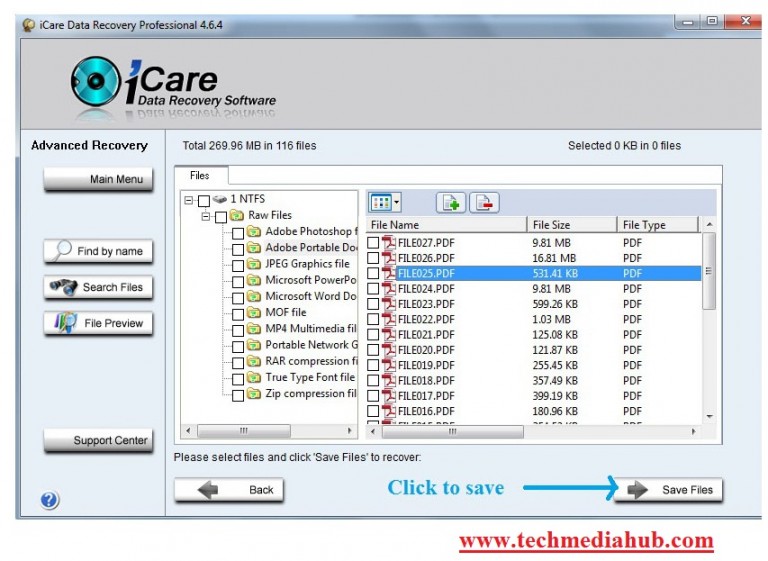
Thus with the help of iCare Data Recovery Software you can recover deleted files in your computer. Using this software I was able to recover almost 80% data that I lost due to hard drive format. To recover deleted data I frequently use iCare Data Recovery. So friends you should keep this software as it is very handy tool to recover deleted files.

